
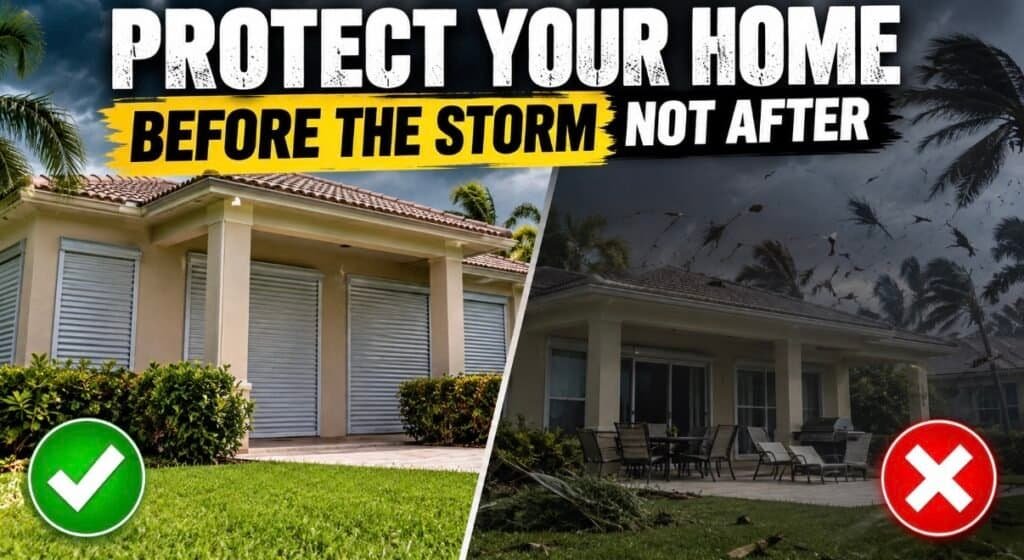
Everybody boards up the windows. Almost nobody thinks about the garage door.
Hurricane season runs through November 30, and South Florida homes have a way of getting caught off guard right at the end. This hurricane security checklist covers what to do before the storm, what your alarm and cameras will (and will not) do during it, and what to do the minute it passes.
Every year we get the same calls. The storm is two days out, and a homeowner wants to know if the alarm will still work, whether the cameras will survive, and how to prove what happened if the worst occurs. This hurricane security checklist answers those questions in plain English, so you can get your home ready without the panic shopping.
CSS Man: I have a hurricane plan. If the wind picks up, I will simply fly above it.
Wendy: That is not a plan. That is how you end up in someone else’s yard. Here is the real checklist.
The Door Everyone Forgets: Your Garage
According to the Insurance Institute for Business & Home Safety, the garage door is the largest opening in most homes, which makes it one of the most vulnerable spots in a storm. Once wind pushes it in, pressure builds inside the house and pushes up on the roof and out on the walls. IBHS calls the garage door a “damage amplifier,” and in post-storm field investigations, 90% of homes whose garage doors survived had no structural roof damage.
🔍 CSS Man Mythbusters
Three hurricane myths that cost homeowners sleep.
Myth“My windows are covered, so the house is protected.”
TruthThe garage door is often the weak link. A failed garage door can let wind inside and put extra pressure on the roof and walls.
Myth“When the power goes out, my alarm and cameras are useless.”
TruthNot if they are set up for it. Battery backup keeps equipment running, and cellular communication can keep an alarm talking to the monitoring center when your home internet is down.
Myth“I will remember what I own when I file a claim.”
TruthUnder stress, nobody does. A photo and video walkthrough made before the storm makes the claim process easier.
Your Storm Timeline: Before, During, and After
Document your home and test your gear.
Walk every room with your phone and narrate a video. Include closets, the garage, and sheds, and save it to the cloud. Security First Florida has a handy home inventory guide. Then test your alarm with the monitoring center and walk every camera view in the app.
Our take: confirm your cameras are recording, your backup batteries are good, and your contact info is current with monitoring.Secure the openings and charge everything.
Close and lock every door and window, and shut the garage door. Charge phones and power banks. Move cars and outdoor items. Follow guidance from the National Hurricane Center and the Florida Division of Emergency Management.
Our take: arm your alarm if you evacuate, and make sure your monitoring company knows how to reach you.Expect power and Wi-Fi to blink.
Your internet may go down even if your equipment is fine. Cellular communication and battery backup help your alarm stay connected. For more on this, see our guide to battery backup for alarms and cameras.
Our take: stay safe first. Do not go outside to check a camera.Document before you clean up.
Once it is safe, check your alarm and camera status, review recorded video, and photograph damage before you move anything. Call us if a sensor, camera, or panel is not responding.
Our take: your recordings and photos can help you document what happened. Storms and power surges can also cause trouble signals on an alarm panel, so a quick system check is worth it.What Your Security System Can Do in a Storm
Stays on watch
- Backup battery keeps it running
- Cellular link can keep talking to monitoring
- Flood and temperature sensors catch problems
Record the proof
- Local recording continues without internet
- Proper installation keeps water out
- Video helps document damage
One app, one picture
- Check alarm and cameras in ADT+ or Google Home
- Get alerts when power or water changes
- Know what happened, even from out of town
Cameras need to be installed for Florida weather. Read why in our guide to waterproof security cameras and why installation matters. If you are a seasonal resident, our snowbird home security guide shows how to keep watch from afar. Wondering whether you need both an alarm and cameras? See our answer. And if storm-related false alarms are a worry, we cover them in our false alarm guide.
Watch the Full Video
Prefer to watch? Wendy walks through the full hurricane security checklist, from the garage door and home inventory to your alarm, cameras and post-storm scams.
See the Short Version
CSS Man has opinions about people who board up every window and leave the garage open.
🦺 CSS Man Tips & Tricks
Straight from the truck, with Wendy keeping him on the ground.
- Do the garage first. Check the wind rating label and make sure the door is closed and latched.
- Record the walkthrough. Five minutes of narrated video now beats hours of guessing later.
- Test, then trust. Run a test with your monitoring company before the storm, not during it.
- Know your codes. Keep your alarm code and monitoring password handy, but not taped to the panel.
- Read our smart lock guide. If you use a smart lock, make sure it has a backup way in. See are smart locks safe.
Your Hurricane Security Checklist
Before the Storm
- Check the garage door wind rating label
- Photo and video walkthrough saved to the cloud
- Test the alarm with your monitoring center
- Confirm cameras are recording
- Check backup batteries and charge phones
- Close and lock every door, window, and the garage
- Update emergency contacts with monitoring
After the Storm
- Wait until it is safe to go outside
- Check alarm and camera status in the app
- Review recorded video for events
- Photograph damage before cleanup
- Test the alarm and call us about any trouble signals
- Contact your insurance agent
- Re-check camera views and lens cleanliness
Hurricane Security Quick Answers
Will my alarm work if the power goes out?
Most alarm systems have a backup battery that keeps them running for a period of time. A cellular communicator can keep the system connected to monitoring if your internet is down. Ask us what your system is set up for.
Will my security cameras keep recording in a storm?
If your cameras and recorder have power and are installed for outdoor weather, they can keep recording to local storage even when the internet is down. Viewing them remotely needs an internet connection, and battery backup helps keep equipment running longer.
Should I turn my alarm on if I evacuate?
Generally yes, and let your monitoring company know how to reach you. Ask us about your specific system and any storm-related instructions.
Do you install and service systems in my area?
Yes. We are based in Royal Palm Beach and serve Palm Beach, Martin, Broward, and Miami-Dade counties. See our services or the FAQs.
Get Storm-Ready Before the Next One
Let us check your alarm, cameras, and backup power so they are ready when you need them. CSS Man promises not to fly into the storm. And we beat any written quote. Always.
561-285-2780