
Do I Need a Battery Backup for Alarm Systems and Security Cameras?
If you have invested in an alarm system or security cameras, there is one part of your system you may not be thinking about: what happens when the power goes out?
Do you need a battery backup for alarm systems and security cameras?
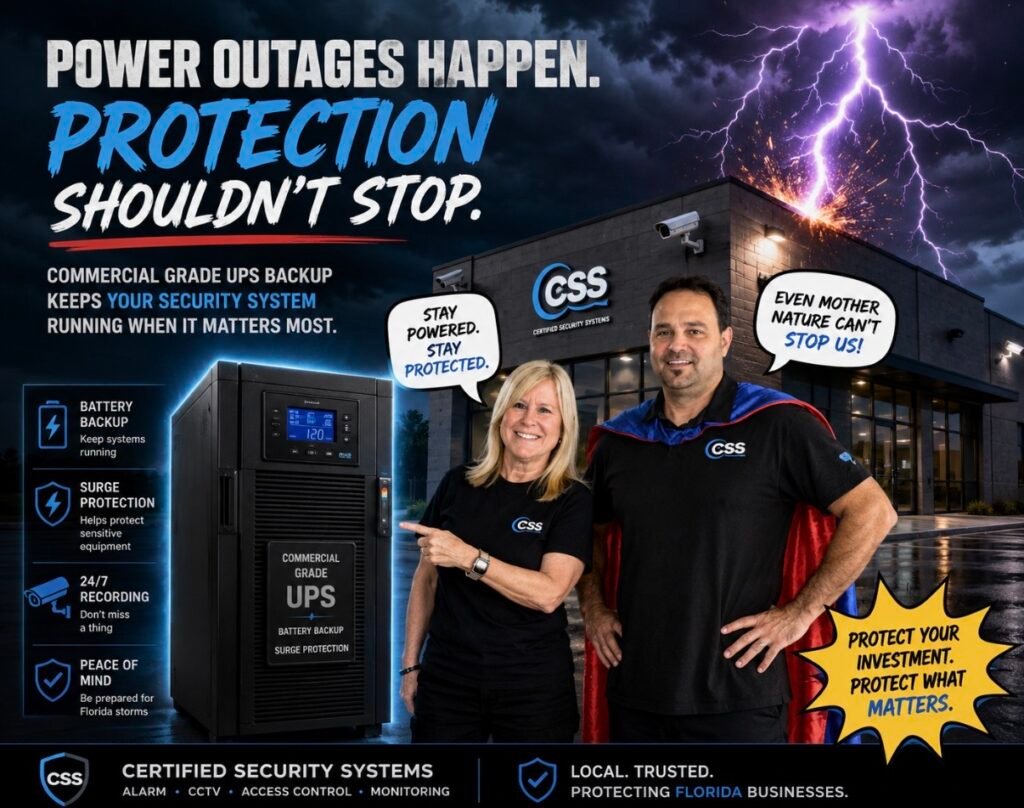
If you live in Florida, we strongly recommend one. A UPS battery backup with surge protection can help keep critical security equipment operating during a power outage and add another layer of protection against electrical disturbances.
Why a Battery Backup for Alarm Systems and Security Cameras Matters
Your security system is supposed to protect your home when you need it most. But many of the components that make that protection possible rely on electricity.
Security cameras, NVRs, PoE switches, routers, modems, monitors and other networking equipment can all lose power during an outage. A sudden loss of electricity followed by unstable power when service returns can also be hard on sensitive electronics.
According to FEMA, power outages are more likely during severe weather events such as hurricanes and strong thunderstorms. FEMA also recommends unplugging electronics during a power outage to help avoid damage from electrical surges. See FEMA’s power outage preparedness guidance.
Typical UPS Investment
Depending on the capacity and equipment being protected, a UPS can be a relatively small investment compared with replacing damaged security equipment.
What You’re Protecting
Your security system may include thousands of dollars in cameras, NVR equipment, networking hardware and alarm components. A UPS can help provide backup power while surge protection adds another layer of defense for connected electronics.
They Didn’t Want the UPS. Then the Power Surge Happened.
We received a call from a customer who had both an alarm system and security cameras installed in their home.
When they purchased their systems, we recommended adding a UPS battery backup with surge protection. We explained that Florida is a state where power outages, severe storms and electrical events are a reality, and that a UPS would be an important part of protecting their investment.
The customer decided they did not want to spend the additional money.
Their home experienced a power surge that damaged several components of their security system.
Because the equipment was already outside of its warranty period and the damage resulted from an electrical event, those components were not eligible for free replacement under the warranty.
Of course, we weren’t going to leave our customer hanging. We obtained the replacement equipment at our cost and did not charge them for the labor to get their system back up and running.
That’s something we were happy to do for our customer. But the situation is also exactly why we continue to recommend a UPS with surge protection.
Battery Backup and Surge Protection Are Not the Same Thing
This is an important distinction. A UPS provides battery power when utility power is interrupted. Surge protection is designed to help protect connected equipment from damaging voltage spikes and electrical disturbances.
Many UPS systems include some level of surge protection, but the exact protection provided varies by model. That’s why we recommend selecting the UPS based on the equipment being protected rather than simply buying the cheapest unit available.
The U.S. Consumer Product Safety Commission recommends using properly certified electrical products and warns consumers about defective power strips and surge protectors. Read the CPSC’s surge protector safety guidance.
Watch: Does Your Alarm Panel Have Battery Backup?
Here’s where things get a little funny. Your alarm panel may already have its own backup battery, but that does not necessarily mean your entire security system has backup power.
We made a quick video showing the backup battery in an ADT alarm panel. Because apparently even security equipment gets to have a backup plan. 😂
Your Alarm Panel May Have Backup Power. Your Cameras Might Not.
This is one of the most common misunderstandings we see.
An alarm panel may contain a rechargeable backup battery that allows the alarm system to continue operating when utility power is interrupted. However, your security camera system may rely on completely different equipment.
For example, your cameras may depend on an NVR, PoE switch, router or other network equipment. If those devices lose power, your cameras can go offline even though the alarm system is still operating on its internal battery.
That is why protecting the entire security system, rather than just the alarm panel, deserves consideration.
Not Sure What Your Security System Needs?
We can help you determine which equipment should have battery backup and surge protection, and what size UPS makes sense for your particular system.
Contact Certified Security SystemsWhat Should You Connect to a UPS Battery Backup?
A UPS does not necessarily need to power every electronic device in your house. The goal is to prioritize the equipment that keeps your security system functioning.
For Security Cameras
- NVR or DVR
- PoE switch
- Network switch
- Router
- Modem or gateway
- Other critical networking equipment
For Alarm Systems
- Alarm control panel
- Alarm communicator
- Network equipment used for communication
- Other critical connected equipment
The exact equipment that should be connected depends on how your system is designed. A professionally installed system can have several pieces of equipment working together, so it is worth looking at the entire system rather than simply plugging one device into a UPS and calling it done.
How Long Will a UPS Keep Security Cameras Running?
This is one of the most common questions homeowners ask, and there isn’t one universal answer.
The runtime of a UPS depends on several factors, including the capacity of the UPS, how much power the connected equipment consumes, how many devices are connected and whether the system is actively recording or processing video.
Think of it as a bridge
A UPS is designed to give your equipment time to keep operating during a power interruption or to allow equipment to be shut down properly. It is not intended to replace your home’s electrical service indefinitely.
A smaller UPS may provide enough runtime to get through a brief outage, while a larger unit can provide considerably more runtime for appropriately sized equipment. If you need your cameras to continue recording for an extended outage, the UPS needs to be selected based on the actual power requirements of your system.
This is another reason we don’t recommend simply buying a UPS based on price. The correct unit should be matched to the equipment it is expected to support.
What Happens to Your Cameras When the Internet Goes Down?
Here’s something many homeowners don’t realize: a power outage and an internet outage are two different problems.
If your security cameras are recording locally to an NVR, the cameras can often continue recording even when your internet connection is unavailable, as long as the cameras, NVR and required network equipment still have power.
That means a UPS can be particularly valuable for a properly configured local recording system.
Remote viewing through a phone app may not be available while your internet connection is down, depending on how your system is configured. But the local recording system can continue functioning if the necessary equipment remains powered.
Do Wi-Fi Security Cameras Need a UPS?
They can benefit from one too.
It is easy to assume that because a camera is wireless, it does not need backup power. But “wireless” generally refers to how the camera communicates with the network. It still needs electricity unless it is specifically designed as a battery-powered camera.
A Wi-Fi camera may depend on your router, modem, network equipment and its own power supply. If those devices lose power, your wireless camera system may go offline.
What Size UPS Do I Need for My Security System?
The right UPS size depends on the equipment you want to protect and how much power that equipment consumes.
For example, a small residential system with an NVR, router and modem will have very different power requirements from a large commercial camera system with multiple PoE switches, networking equipment and recording hardware.
Small Residential System
A smaller UPS may be appropriate for a basic NVR, router and modem setup.
Larger Camera System
Multiple PoE switches, NVRs and networking equipment may require a substantially larger UPS or multiple UPS units.
When selecting a UPS, look at both the VA rating and the watt capacity, as well as the estimated runtime at your expected load. The manufacturer’s runtime chart is especially useful because the same UPS can provide dramatically different runtime depending on what is connected to it.
If you’re unsure what size you need, this is something a security professional can help calculate based on your actual equipment.
Don’t Forget the Equipment Behind the Cameras
When homeowners think about protecting their cameras, they often picture the cameras themselves. But the equipment sitting in the closet, office or garage may be just as important.
Your NVR, PoE switch and networking equipment can be the heart of the entire system. If those devices lose power, your cameras may have nowhere to send their video.
Protect the system, not just the camera
A camera can be perfectly fine while the equipment responsible for powering, networking and recording it is offline. A properly planned UPS setup protects the critical chain of equipment that keeps your security system working.
Is a Surge Protector Enough for Security Cameras?
A basic surge protector and a UPS are not the same thing.
A surge protector is designed to help protect connected electronics from voltage spikes. A UPS can provide that type of protection while also supplying temporary battery power when utility power is interrupted, depending on the specific model.
For a security system, that distinction matters because you may want protection from both loss of power and electrical disturbances.
Building or Upgrading a Security System?
Don’t wait until the first major storm to find out what happens when your security system loses power. Certified Security Systems can help you determine what equipment should have backup power and how to properly protect your system.
Talk to Certified Security SystemsA Little Protection Can Prevent a Very Expensive Headache
Florida weather can be unpredictable. Your security system shouldn’t be.
Do I Need a Battery Backup for My Alarm System in Florida?
If you live in Florida and have invested in an alarm system, security cameras or both, we believe a UPS battery backup with surge protection is worth considering.
Florida experiences frequent thunderstorms, lightning, hurricanes and other severe weather that can cause power interruptions. Even when an outage lasts only a short time, the electrical events surrounding an outage can be hard on sensitive electronics.
That doesn’t mean every homeowner needs the biggest UPS available. It means your security system should be evaluated as a complete system and the backup power should be appropriately sized for the equipment you actually have.
Our simple recommendation
Protect the equipment that protects you. If your alarm system and cameras are important enough to install, they are important enough to consider protecting with appropriate backup power and surge protection.
5 Things to Ask About Your Security System Battery Backup
01. What equipment needs power?
Find out which components are critical to keeping your alarm and cameras operating.
02. Is there already a backup battery?
Your alarm panel may have an internal battery, but that does not necessarily protect your camera system.
03. What does the UPS protect?
Ask whether the UPS provides both battery backup and surge protection, and which outlets provide each function.
04. How much runtime do I need?
The answer depends on your equipment, power consumption and how long you want critical components to remain operational.
05. What happens when the power comes back?
Ask your installer how your system handles an outage and power restoration. A properly configured system should be evaluated for both the loss of power and the return of power.
We’d Rather Recommend Something You Don’t Need Than Watch You Replace Something You Do.
When we recommended the UPS to our customer, we weren’t trying to sell them another piece of equipment just to increase the price of their installation.
We recommended it because we knew the potential risk.
Unfortunately, the customer experienced exactly the kind of electrical event we had warned about. Their system suffered damage, and because the equipment was outside its warranty period and the damage was caused by an electrical event, replacement wasn’t covered.
We ultimately supplied the replacement equipment at our cost and completed the labor without charging the customer. We were glad to help, but we’d much rather prevent that phone call from happening in the first place.
Common Battery Backup Mistakes Homeowners Make
Only Backing Up the Alarm Panel
An alarm panel may have its own battery, while your NVR, PoE switch, router or other camera equipment remains unprotected.
Buying the Cheapest UPS
The cheapest unit isn’t necessarily the right unit. Capacity, wattage, runtime and the equipment being protected all matter.
Ignoring the Network
Your cameras may depend on network equipment that also needs power. Protecting only the NVR may not be enough.
Forgetting About Maintenance
UPS batteries don’t last forever. Battery condition should be checked periodically and replaced according to the manufacturer’s recommendations.
Frequently Asked Questions About Battery Backup for Alarm Systems and Security Cameras
Do security cameras work when the power goes out?
Normally, security cameras require power to operate. However, cameras connected to a properly configured UPS-supported system may continue operating during an outage for as long as the available battery capacity supports the connected equipment.
Will my alarm system still work if the power goes out?
Many alarm systems have an internal backup battery designed to keep the alarm system operating during a power outage. The exact backup capabilities depend on the alarm system and its configuration.
Will my security cameras record without internet?
If your cameras record locally to an NVR or other local storage system, recording may continue even when the internet connection is unavailable, provided the cameras, recording equipment and necessary network equipment still have power.
How much does a UPS battery backup cost?
UPS systems vary considerably in price based on capacity and features. For many residential security applications, homeowners may find suitable options in the approximate $100 to $500 range. Larger systems can cost more.
Can a UPS protect my security system from lightning?
A UPS with surge protection can provide an additional layer of protection against electrical disturbances, but no consumer surge protection device should be considered a guarantee against a direct lightning strike or every possible electrical event. Proper electrical installation, grounding and system design are also important.
Is a UPS worth it for a home security system?
For many homeowners, yes. A UPS can provide temporary backup power and surge protection for critical equipment. The value is especially easy to see when you consider the cost of replacing cameras, NVRs, networking equipment or other components after an electrical event.
The Bottom Line
Do you need a battery backup for alarm systems and security cameras? You may not technically be required to have one, but we strongly recommend considering one, especially in Florida.
A properly selected UPS with surge protection can help keep critical security equipment operating during a power interruption and provide another layer of protection for your investment.
And after seeing firsthand what can happen when a customer chooses not to add one, we believe the question isn’t really whether a UPS costs money.
The better question is whether you want to spend a little protecting your security system now or potentially spend a lot replacing it later.
Want Us to Look at Your Security System?
Whether you’re installing a new alarm system, upgrading your cameras or simply wondering if your existing system has enough backup power, we’re happy to help you figure out what makes sense.
Certified Security Systems serves homeowners and businesses throughout Palm Beach County and surrounding South Florida communities.
Contact Certified Security SystemsProtect Your Security Investment Before the Next Storm
Your security system is there to protect your home, family, business and property. A UPS battery backup with surge protection is one more layer of protection that can help keep that system working when Florida decides to throw a little weather drama your way.
Because when the lights go out, that’s usually when you want your security system working the most.
Don’t wait for the power surge to teach you why backup power matters.