
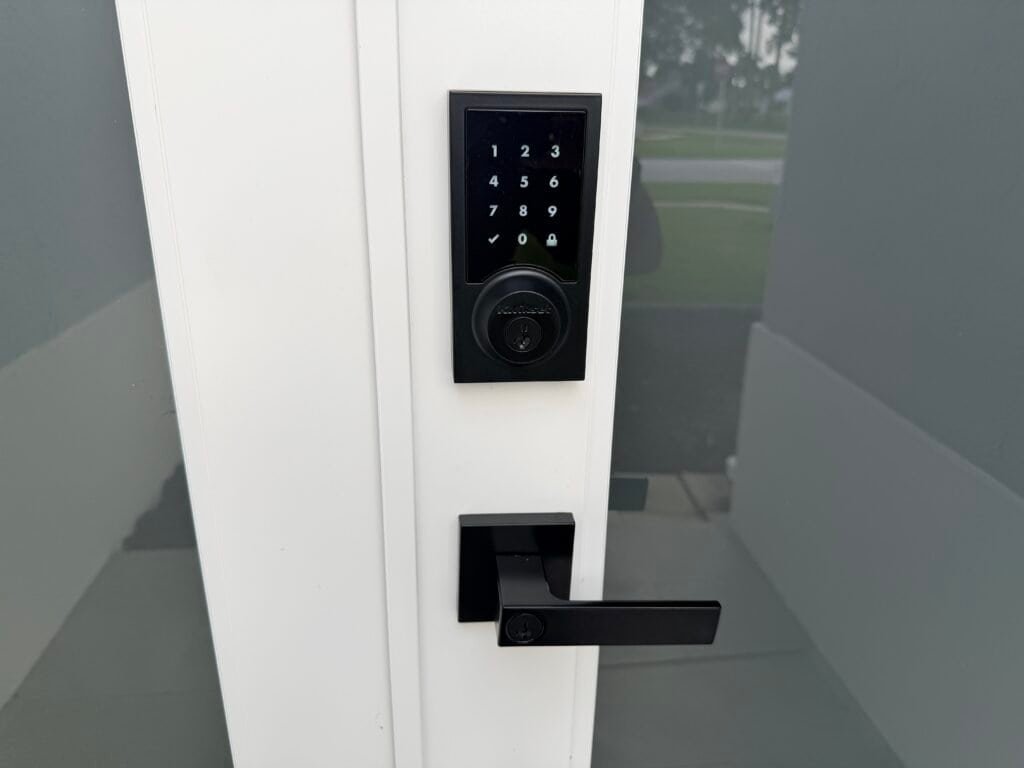
Are smart locks safe? They can be, if the lock, the door, and your habits are all up to the job.
A smart lock will not fix a weak door. But a good one gives you something a metal key never could: a record of who came in, codes you can cancel in seconds, and a lock you can check from the beach. Here is how to pick one that earns your trust.
So, are smart locks safe? Here is the honest answer we give customers in Royal Palm Beach and Wellington every week: a smart lock is only as strong as the door it is bolted to and the way you use it. Get those right, and a smart lock can be a real upgrade. Get them wrong, and you have a very clever lock on a very easy door.
CSS Man: I locked the front door with my mind. Superpower number twelve.
Wendy: You locked it with the app. I watched you tap the button.
What Experts Say About Smart Lock Safety
In a GEICO guide to smart locks, a National Crime Prevention Association expert stressed that a good, properly used deadbolt matters more than whether the lock is smart. A smart lock on a weak door or frame adds convenience, not protection. We see the same thing in the field. The lock gets the attention, but the door, frame, and strike plate do the heavy lifting.
The same guide lists the benefits people actually enjoy: no fumbling for keys, expiring guest codes, and a way to check from your phone whether the door is locked. It also lists the drawbacks honestly: dead batteries, a lost or dead phone, and the fact that Wi-Fi outages can disable remote unlocking.
🔍 CSS Man Mythbusters
Three smart lock myths we hear all the time.
Myth“A smart lock is automatically more secure than a regular lock.”
TruthNot by itself. Security comes from a solid deadbolt, a reinforced door frame, and good habits. A smart lock adds convenience and control on top.
Myth“If the internet goes out, I am locked out.”
TruthWi-Fi outages can stop remote unlocking, but many locks still work with a keypad or key at the door. Check this before you buy, not during a storm.
Myth“Those viral lock hacks work on any smart lock.”
TruthViral tricks usually target specific cheap designs. That is one reason we look at certifications and brand track record, not just price and looks.
Check the Lock Grade Before You Buy
Look for the ANSI/BHMA grade on the box. It is a lab rating for how well a lock holds up to wear, force, and impact. As This Old House explains, Grade 3 is the lowest graded level and is generally considered suitable for a residential entry door. Grade 2 and Grade 1 are tougher, and worth the upgrade if you want more assurance.
Good for most homes
- 200,000 operating cycles
- Meets the bar for residential doors
- The lowest graded level
A solid step up
- 400,000 operating cycles
- Heavy-duty residential level
- Stronger force and impact tests
The toughest rating
- 800,000 operating cycles
- Highest strength tests
- Built for heavy-duty use
Grades measure the lock hardware, not the app or the wireless features, so a certification is a starting point, not the whole story. Ask us if you want a second opinion on a lock you are considering.
Smart Lock Safety Tips for Florida Homes
South Florida adds a few twists that the box does not mention.
Storms knock out power and Wi-Fi.
A lock that depends on your router can be stuck during hurricane season. Battery-powered locks keep working at the door, but your home network may not.
Our take: pick a lock with a keypad or key backup, and see our guide on battery backup for alarms and cameras.Batteries and electronics work hard here.
Florida heat, humidity, and salt air are tough on devices. Do not wait for the low battery warning to be your first clue.
Our take: replace batteries on a schedule, and favor locks rated for outdoor conditions.Temporary codes beat hidden keys.
Pool service, cleaners, family, and house-sitters can each get their own code. You can see when it is used and delete it when the job is done.
Our take: never share your own code. Seasonal resident? See our snowbird home security guide.Kids and parents come and go.
A smart lock can tell you when a teen gets home, or when an aging parent is safely inside. Read how it works in our after-school home security guide and our guide to helping aging parents stay safe at home.
Our take: give each person their own code so the log tells the real story.See It in 20 Seconds
Why do we need a smart lock at all? CSS Man has thoughts.
Smart Lock Plus Alarm: Better Together
A smart lock is one piece of the puzzle. When it works with your alarm system and cameras, you get the full picture. Our customers run their alarm and cameras together in one app, either ADT+ or Google Home, so you can lock up, check the camera, and arm the system without switching apps. Not sure whether you need an alarm if you already have cameras and a lock? Start with our guide on whether you need an alarm system.
🦺 CSS Man Tips & Tricks
Straight from the truck, with Wendy keeping him on the ground.
- Fix the door first. A steel-reinforced strike plate with long screws makes any lock harder to kick in.
- Keep a backup. A keypad code or key should always work when the app does not.
- Calendar your batteries. Change them on a schedule, not when the lock starts beeping at 11 PM.
- One code per person. Then your lock history actually tells you something.
- Clean up codes. Remove old guest and contractor codes every few months.
Your Smart Lock Checklist
Before You Buy
- Check the ANSI/BHMA grade on the box
- Confirm a keypad or key backup
- Make sure it fits your door and works with your alarm or smart home app
- Look at the door, frame, and strike plate first
- Ask about professional installation
After You Install
- Change every default code
- Set up a code for each person
- Test the lock during a Wi-Fi outage
- Put battery changes on your calendar
- Review the lock history now and then
Smart Lock Quick Answers
Are smart locks safe from hackers?
Any connected device carries some risk, which is why we focus on certified locks from established brands, strong unique codes, and keeping the lock’s software and your Wi-Fi password up to date. A strong door and frame matter just as much as the electronics.
What happens to a smart lock when the power or Wi-Fi goes out?
Most battery-powered smart locks keep working at the door with a keypad or key, but remote control from your phone may stop until your internet is back. Ask about this before you buy, especially for hurricane season.
Will a smart lock lower my homeowners insurance?
A lock alone usually does not, but a professionally monitored alarm can. Ask your agent what they need. We can help with the paperwork.
Can a smart lock work with my alarm and cameras?
Often, yes. We install alarm systems and cameras that run in one app, ADT+ or Google Home, and we can recommend locks that fit. See our services or the FAQs.
Lock It Up the Smart Way
Let us look at your door, recommend a lock that earns your trust, and tie it into an alarm and cameras you can run from one app. CSS Man promises he will not try to unlock it with his mind. And we beat any written quote. Always.
561-285-2780