
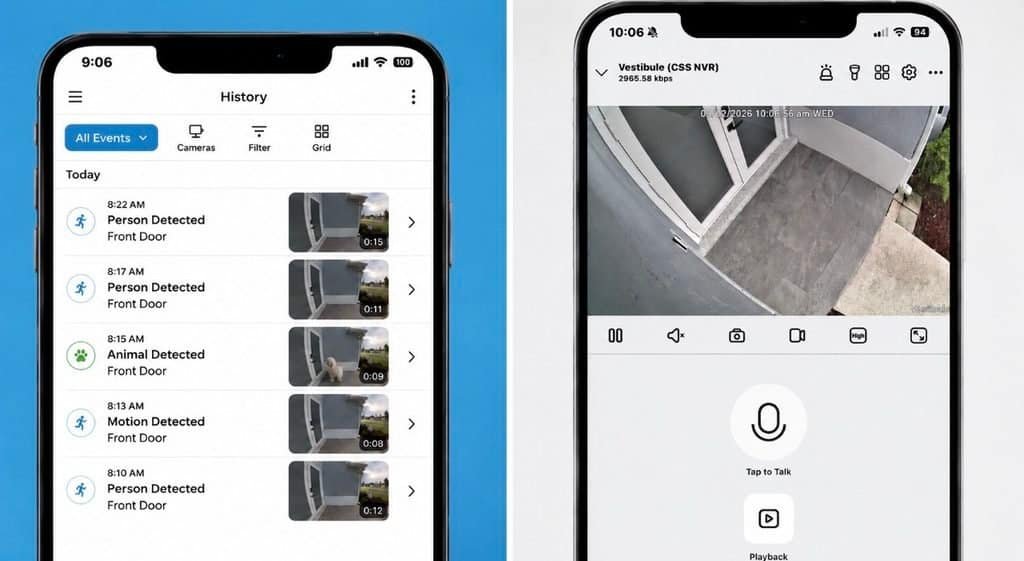
AI Security Cameras Are Getting Smarter. But Should They Know Who You Are?
AI security cameras can do far more than detect motion. Today’s systems can recognize people, vehicles, animals, packages, license plates and specific events. Some can even recognize familiar faces. The technology can make a security system dramatically more useful, but it also raises an important question: how much information does your security camera really need to collect?
A smarter camera doesn’t always need to know your name.
Sometimes the safest and most practical security system is the one that knows what is happening without trying to identify everyone involved.
AI Security Cameras: Detection Isn’t the Same as Facial Recognition
This distinction is easy to miss because manufacturers often use the word “AI” to describe a wide range of features.
But there is a significant difference between a camera detecting a person and a system attempting to identify that person.
“A person was detected.”
The camera analyzes the scene and determines that a person is present. This can be used to reduce false alarms and send more useful notifications.
For many homes and businesses, that is exactly what a security system needs to do.
“I believe I know who that person is.”
Facial recognition goes further by analyzing facial characteristics and comparing them against previously stored facial information or profiles.
That introduces additional privacy and biometric-data considerations.
Why Facial Recognition Has Become a Privacy Issue
Facial recognition can be extremely useful in certain security environments. But it also creates a different type of information than ordinary video surveillance.
The Federal Trade Commission has identified facial recognition as a biometric technology and has warned that biometric information can create significant privacy and data-security concerns. The FTC has also emphasized the importance of transparency and meaningful choices when biometric information is collected and used.
That doesn’t mean facial recognition is automatically bad or inappropriate.
It means homeowners and businesses should understand what the technology is doing before they enable it.
Why Ring Has Put This Issue in the Spotlight
Ring’s Familiar Faces feature brought facial recognition directly into the residential security-camera conversation.
Ring describes Familiar Faces as a feature that can recognize people who regularly appear at a property and provide personalized alerts. Ring states that the feature is disabled by default and that facial-recognition information and profiles are encrypted and stored in the cloud rather than on Ring devices.
In June 2026, Amazon faced a proposed class-action lawsuit alleging that Ring’s Familiar Faces technology collected facial-recognition information from people who had not consented to having their faces analyzed. The lawsuit contains allegations made by the plaintiff. Those allegations have not been established as facts by a court, and Amazon or Ring has not been found liable simply because the lawsuit was filed.
For readers who want to see the reporting and underlying filing, we have included them in the Sources & Further Reading section below.
When a camera sees a person, how much information should it collect about that person?
There Is Another Approach to AI Security Cameras
Not every smart security camera system is built around facial recognition.
Some systems focus on detecting what is happening rather than identifying everyone who appears on camera.
Two examples that are particularly interesting are Reolink and Ubiquiti UniFi Protect.
Reolink states that its cameras currently do not offer facial-recognition capabilities. Instead, Reolink focuses on smart detection features such as person, vehicle, pet and animal detection.
That means a Reolink system can provide intelligent alerts without adding facial recognition to the system.
For a homeowner, that could mean receiving an alert that a person is approaching the house without the system attempting to identify exactly who that person is.
Reolink has also continued expanding its AI capabilities. Its AI Video Search can help users locate recorded events using descriptions such as a person carrying a package, a person wearing a particular color, or a specific type of vehicle. Reolink states that supported AI Video Search functions are processed locally on the device.
That is a powerful example of how AI security cameras can become smarter without necessarily needing facial recognition.
That’s an important distinction.
A camera can be very smart about what it sees without necessarily needing to identify every person it sees.
Want to learn more about the security camera equipment we install? Visit our security camera and CCTV products page.
Ubiquiti takes a different approach.
UniFi Protect offers advanced AI features that can include person detection, vehicle detection, license plate recognition and facial recognition on supported hardware.
The important privacy distinction is how Ubiquiti says the processing is handled.
Ubiquiti states that UniFi Protect’s AI processing occurs on-premises rather than requiring video to be sent to the cloud for analysis. Ubiquiti also states that video is stored locally by default on the UniFi OS Console.
That gives businesses and homeowners another model to consider:
Advanced AI does not automatically have to mean cloud-based video analysis.
For organizations that want advanced analytics while maintaining greater control over where surveillance data is processed and stored, local AI can be an important consideration.
Reolink and UniFi Are Not the Same Approach
This is where things get interesting.
It would be inaccurate to say that one technology approach is automatically right for everyone.
Reolink’s Strength
Reolink provides strong AI-based detection and search capabilities while currently avoiding facial recognition. That can be attractive for homeowners who want intelligent security without adding facial identification to the system.
UniFi’s Strength
UniFi Protect provides a broader AI ecosystem, including facial recognition and license plate capabilities on supported hardware, while Ubiquiti says its AI processing and video storage can remain local rather than requiring cloud analysis.
Those are two different philosophies.
And that’s a good thing for consumers.
Security technology shouldn’t be one-size-fits-all.
MYTH: “The more AI features a camera has, the better the camera is.”
Not necessarily.
The best security camera is the one whose features match the security problem you’re actually trying to solve.
Before buying an AI camera, ask:
“What do I need this camera to recognize?”
If the answer is simply “people and vehicles,” you may not need facial recognition at all.
AI Security Cameras: Local AI vs. Cloud AI
Where AI processing happens is another important question.
Cloud-based systems can provide convenience and powerful computing resources. Local processing can provide greater control over where video and AI data are processed.
Neither approach automatically makes a system secure or insecure.
The important thing is understanding the architecture of the system you are buying.
Cloud-Based Processing
- Video or event information may be sent to cloud infrastructure.
- Processing can take advantage of remote computing resources.
- Storage and processing are managed through the service provider.
- Internet connectivity can become an important part of the system.
Local / Edge Processing
- AI processing can happen on the camera or local security hardware.
- Video can remain within the local network.
- Local storage gives the property owner greater control over retention.
- Some systems can perform core detection and recording functions without relying on cloud analysis.
What Should Homeowners Ask Before Buying an AI Security Camera?
Don’t assume every AI camera does.
If so, understand exactly what is being collected.
On the camera, on an NVR, on another local device or in the cloud?
Local storage and cloud storage have different privacy and management considerations.
Know the retention settings before you need to find an important recording.
Consider homeowners, employees, administrators, installers and service providers.
You may not need every feature the system offers.
More features aren’t always better security.
What About Businesses?
The questions become even more important in commercial environments.
A business may have employees, customers, vendors, delivery drivers and visitors appearing on camera throughout the day.
A company considering facial recognition should understand the technology, its intended purpose, its data handling practices and any applicable privacy requirements before deploying it.
Businesses may also want to consider whether person detection, vehicle detection, license plate recognition, perimeter analytics or other technologies can accomplish the security objective without identifying individuals by face.
For commercial properties, our professional security camera installation services can help you design a system around the property rather than around a pre-packaged camera kit.
The Smartest Camera May Be the One That Collects Less
Security technology has reached an interesting point.
We used to ask:
“How good is the picture?”
Now we also need to ask:
“What does the camera know about what it’s seeing?”
A modern security camera can be incredibly powerful without necessarily needing to identify every person who walks into its field of view.
For some properties, facial recognition may provide valuable security benefits.
For others, intelligent person and vehicle detection may provide everything necessary.
And for businesses that need advanced analytics, UniFi Protect demonstrates one approach in which sophisticated AI processing can remain on the local network.
Smart security isn’t about collecting the most data.
It’s about collecting and using the right information for the job.
How Certified Security Systems Approaches AI Security
At Certified Security Systems, we don’t believe every property needs every available technology.
A residential home, a gated community, a retail business, a warehouse and a high-security commercial property can have completely different security requirements.
That’s why we look at the property first and the technology second.
Sometimes that means AI person and vehicle detection.
Sometimes it means license plate recognition.
Sometimes local AI processing and local storage make the most sense.
And sometimes advanced facial recognition may be appropriate for a specific application.
The goal isn’t to sell you the most features.
The goal is to build a security system that makes sense for your property.
Sources & Further Reading
We believe security information should be backed by more than a sales pitch. The sources below include government guidance, manufacturer documentation and reporting on the Ring lawsuit discussed in this article.
- Federal Trade Commission: FTC Warns About Misuses of Biometric Information and Harm to Consumers
- Ring: Familiar Faces Ring’s current support documentation covering Familiar Faces, facial-recognition information, cloud storage, encryption and profile management.
- Reuters: Amazon’s Ring sued over facial recognition feature Reporting on the June 2026 proposed class-action lawsuit.
- Federal Court Filing: Sigwalt v. Amazon.com, Inc. The filed complaint in the proposed class action involving Ring’s Familiar Faces feature.
- Reolink: AI Surveillance | Next Steps in Security Evolution Reolink’s explanation of its AI surveillance approach and statement that its cameras currently do not offer facial recognition.
- Reolink Support: Introduction to Reolink AI Video Search Documentation covering local AI video search and intelligent search capabilities.
- Ubiquiti Help Center: UniFi Protect Cameras – AI Detections and Facial Recognition Documentation covering UniFi Protect’s AI detection, facial recognition, license plate recognition and local AI processing.
- Ubiquiti Help Center: How UniFi Protect Protects Your Data Documentation describing local AI processing, local video storage and data protection.
Need Help Choosing the Right Security Camera System?
Certified Security Systems designs and installs customized security camera and alarm systems for homes and businesses throughout Palm Beach County.
We can help you compare AI detection, local processing, cloud systems, facial recognition, license plate recognition and other security technologies to determine what actually makes sense for your property.
Call CSS: 561-285-2780Important: This article provides general educational information and is not legal advice. Laws and regulations regarding privacy, biometric information and video surveillance can change and may vary depending on the circumstances. The discussion of lawsuits in this article describes allegations made by plaintiffs and does not imply that any company discussed has been found liable or guilty of wrongdoing. Product capabilities and features can change, so readers should verify current specifications with the manufacturer before making a purchasing decision.