Security Camera Installation Cost: The Real Math
The real math behind big-box camera packages, professional security camera installation, WiFi cameras, hardwired PoE systems, alarm monitoring and what you’re actually paying for.
Let’s be honest.
If you put a $1,400 big-box camera installation next to a professionally installed security system that costs several thousand dollars, most homeowners are going to ask the obvious question:
“Why would I pay that much more?”
That’s a fair question.
And we’re not going to dodge it.
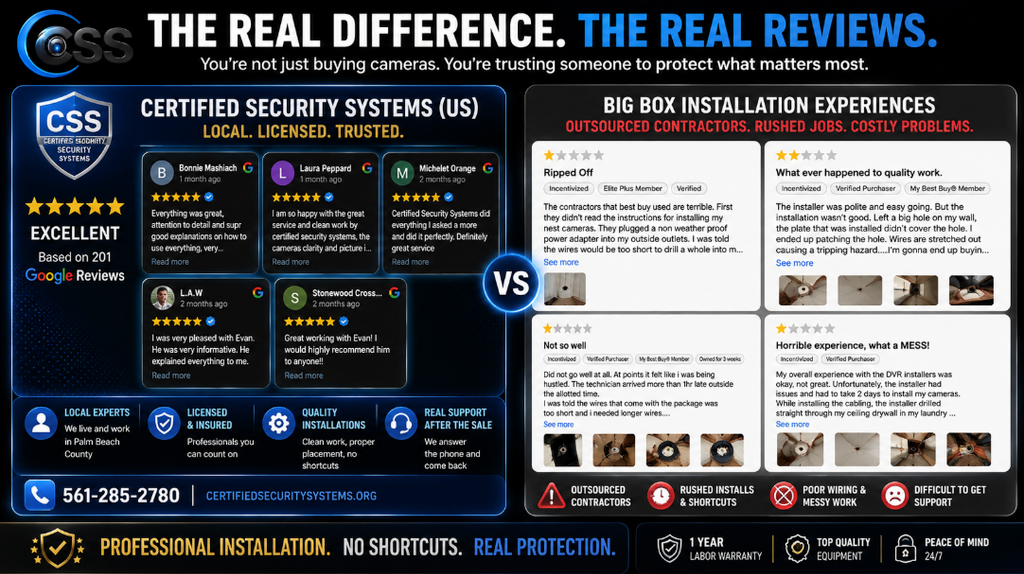
Certified Security Systems is not trying to be the cheapest security company in Palm Beach CountyBut we are trying to be the BEST (and we will BEAT any actual competitor’s price). We ARE the least expensive when comparing apples to apples. Sometimes our price will be higher than a big-box package and ultimately our cameras are commercial grade with more features.
The reason is simple:
We’re not selling you a box of cameras. We’re installing a security system.
So let’s stop comparing the numbers printed on the boxes and do some real math.
Security Camera Installation Cost: Start With the Numbers
Before we talk about installation quality, WiFi, wiring, professional service or alarm monitoring, let’s look at the numbers homeowners may encounter when shopping for security.
BIG-BOX CAMERA EXAMPLE
Example camera package
Plus approximately $700 for installation:
That’s the kind of price that makes homeowners stop and say, “Why wouldn’t I just do that?”
The important question is what that package and installation actually include.
CSS PROFESSIONAL INSTALLATION
Approximately $500 per professionally installed camera.
That price includes the camera which is color view at night and at Least 8 MP, NVR, Cat6, piping where needed, installation, configuration, testing and a one-year warranty on our service.
And there is NO Monthly FEE for the camera system itself.
ALARM MONITORING
At $49.99 per month, 36 months of monitoring would total:
So you pay nothing for that equipment. The monthly fee is for monitoring by ADT. It is optional and completely separate from the cost of the camera systems. AND it includes the keypad, sensors, and motions with ZERO set up fees. None. You own the FREE equipment on day 1!
Wait. Does CSS Really Cost About $500 Per Camera?
Approximately, yes.
But this is where the phrase “$500 per camera” can be misleading if you don’t explain what is actually included.
We are not talking about buying a $500 camera and handing it to a homeowner.
Our typical pricing of approximately $500 per professionally installed camera includes much more than the camera itself.
You can learn more about our professional security camera installation services in Palm Beach County and how we design systems around the property.
What Is Included in a Typical CSS Camera Installation?
That’s why comparing the price of a camera package to the price of a professionally installed system can be misleading.
A four-camera CSS system at approximately $500 per camera would be around $2,000.
An eight-camera system would be approximately $4,000.
Those numbers are higher than some big-box packages.
We’re not going to pretend otherwise.
Instead, let’s talk about why.
No Required Monthly Camera-System Fee
One of the biggest differences between security systems is whether you’re paying for equipment, the quality of the equipment, monitoring, cloud storage or some combination of all three.
With a professionally installed NVR-based camera system from CSS, there is NO required monthly camera-system fee.
Your cameras record to the NVR, rather than requiring you to subscribe to a monthly camera monitoring plan simply to maintain the basic surveillance system and the recordings hold for 30 days.
That doesn’t mean every security service is free. If you choose professional alarm monitoring, that is a separate service with its own monthly cost.
See the security cameras, CCTV systems and alarm products we install for homes and businesses.
You Don’t Have to Buy an Alarm System
This is an important distinction.
You do not have to buy an alarm system from CSS.
If what you want is professional video surveillance, we can design and install a camera system without adding alarm monitoring.
Some homeowners simply want to see what’s happening around their property, record activity and have remote access to their cameras.
That’s perfectly reasonable.
Other homeowners want another layer of protection. That’s where a professionally monitored alarm system can come into the conversation.
CSS can also offer ADT professional alarm system installation and monitoring for customers who want professionally monitored intrusion protection.
ADT describes its professional monitoring as 24/7 monitoring by trained personnel who can respond when an alarm is triggered. See ADT’s current professional monitoring information for details.
And that’s important because an alarm system and a camera system do different jobs.
🛡️ CSS Myths & Tips
MYTH: “If I have cameras, I don’t need an alarm.”
REALITY: Cameras and alarms provide different layers of protection.
Cameras provide visual information and recorded evidence. An alarm system is designed to detect an intrusion and initiate an alarm response.
Some properties need one. Some benefit from both.
CSS TIP: Don’t buy security equipment simply because someone tells you that you need it. Start with what you actually want your system to accomplish.
Now Let’s Do the Alarm Monitoring Math
Suppose the monitoring portion of an alarm system is $49.99 per month.
That’s $1,799.64 in monitoring over three years.
But here’s where homeowners sometimes make the wrong comparison.
That $1,799.64 is the cost of the monitoring service over three years. It isn’t the price of the cameras.
And you don’t have to purchase alarm monitoring simply because you’re purchasing security cameras.
If you want professional video surveillance without a required monthly camera-system fee, a professionally installed NVR-based camera system may be the better fit.
If you want an alarm system with professional monitoring, that’s a different layer of protection.
If you still have questions about cameras, CCTV, recording and alarm systems, our security system FAQ covers many of the questions homeowners ask before choosing a system.
They’re not interchangeable.
Now Let’s Look at the Big-Box Camera Example
Here’s where things get interesting.
A homeowner may see an eight-camera package priced around $700 and an installation package around another $700.
The Sticker Price
That’s approximately $1,400 upfront.
At first glance, that looks dramatically less expensive than approximately $4,000 for an eight-camera professional installation through CSS.
And if your only question is “Which number is smaller?”, the big-box package wins.
But that’s not the question you should ask.
The better question is:
“What exactly am I getting for each price?”
You’re Not Really Comparing Eight Cameras to Eight Cameras
This is where the comparison changes.
When a professional security company quotes an installation, the price isn’t simply based on how many cameras are in the box.
We’re accounting for the infrastructure that makes those cameras function as a system.
We’re thinking about where the cable goes.
We’re thinking about where the NVR belongs.
We’re thinking about how the cameras are positioned, if they have colorvue at night and enough megapixels.
We’re thinking about whether the network connection is appropriate.
We’re thinking about whether a camera is supposed to identify a person, watch a driveway, cover a gate, monitor a pool, capture a license plate or simply provide general awareness.
Those are security decisions.
If you’re still figuring out what you need, you can also explore our professional security system services and CCTV planning tools before requesting a professional design.
The Installation Is the Part You Can’t See on the Box
Big-Box Installation
A big-box installation may be built around the equipment package and the scope of the installation service purchased.
- Package-based equipment
- Installation based on the purchased service
- Wireless equipment may be part of the package
- Additional wiring or installation requirements may affect the job
- The customer may be dealing with an installation provider separate from the retailer
CSS Professional Installation
A professional security company starts with the property and the security objective.
- Evaluate the property
- Determine appropriate camera locations
- Select equipment for the application
- Plan cable routes
- Install Cat6 cabling
- Use piping where needed
- Install and configure the NVR
- Configure and test the completed system
- Provide local support
WiFi Cameras vs. Hardwired PoE Cameras
This is another area where homeowners should look beyond the price tag.
WiFi cameras are not automatically bad.
There are situations where WiFi is a perfectly reasonable solution.
But a permanent security camera installation is not the same thing as putting a smart camera on a bookshelf.
For many professional surveillance installations, we prefer hardwired PoE cameras when the property allows it.
PoE stands for Power over Ethernet. A single Ethernet cable can provide the network connection and power needed by the camera.
WiFi-connected cameras also deserve attention to network security. The Cybersecurity and Infrastructure Security Agency (CISA) guidance on Internet of Things devices explains why security should be considered when purchasing and using connected devices.
| Feature | WiFi Camera | Hardwired PoE Camera |
|---|---|---|
| Connection | Wireless network | Dedicated Ethernet connection |
| Power | Depends on camera design and power source | PoE can deliver power through the network cable |
| Network reliability | Depends on wireless coverage and network conditions | Dedicated wired connection |
| Permanent installation | Can work well in selected applications | Excellent option for permanent surveillance |
| Cabling | Less physical network cabling to the camera | Requires professionally installed Ethernet cabling |
| Professional CCTV | Useful in certain situations | Common choice for professional NVR systems |
🛡️ CSS Myths & Tips
MYTH: “Wireless means there are no installation concerns.”
REALITY: Wireless cameras still depend on network coverage, power, placement and configuration.
A camera can be mounted beautifully and still be a poor security solution if its wireless connection is unreliable or the camera doesn’t cover the area you actually need.
CSS TIP: Don’t choose WiFi simply because running cable sounds difficult. Choose the technology based on what the camera needs to accomplish.
For additional consumer guidance on securing connected home cameras, the Federal Trade Commission’s guide to securing home security cameras covers network security, software updates and strong passwords.
What Are You Actually Paying a Professional Security Company to Do?
When you’re paying for professional security camera installation, you’re paying for much more than someone attaching cameras to a wall.
Understand the Property
Every property is different. The layout, construction, roofline, attic access, landscaping, driveways, gates and vulnerable areas all affect the design.
Determine Camera Placement
The goal isn’t simply to put a camera where it is easiest to install. The goal is to provide useful coverage.
Select the Right Equipment
A driveway camera, front-door camera, backyard camera and license plate camera may have very different requirements.
Plan the Infrastructure
Cat6 cable, piping, NVR location and network considerations are part of building a permanent system.
Install the System
The cameras, cabling, NVR and supporting equipment are installed as a complete system.
Configure and Test
Cameras need to be configured, recording needs to be verified and the system needs to be tested before the job is considered complete.
Stand Behind the Work
CSS provides a one-year warranty on our service, giving the homeowner an additional layer of confidence in the installation.
Sometimes the Difference Is What Happens After the Sale
Here’s something you won’t find on a comparison chart.
We had a real-life situation where a customer needed help and contacted us late at night.
It was approximately 10 PM.
We went.
That’s one of the differences between working with a local security company and simply purchasing a product. You can learn more about Certified Security Systems and our local approach to security installation and service.
We know the equipment we’re installing. We know security systems. We understand how the pieces work together. And when someone needs help, we’re not interested in telling them to figure it out on their own.
That’s what professional service means to us.
The Customer Who Wanted Us to Match the Lower Price from a Big Box Store
There’s another story we think belongs in this conversation because it explains exactly how we approach pricing.
A customer wanted us to meet a substantially lower price.She wasn’t looking at the same camera system or even the same quality. No apples to apples…
Yet we understood why.
Nobody minds saving money.
But we also knew what our price needed to be in order to provide the better equipment, professional installation and level of service we were promising. Could we have offered cheaper cameras like the ones she was looking at? Perhaps, but we know what that means. More problems. Less customer satisfaction.
She didn’t care about better cameras or no cut corners on the install, just the price. We stand behind what we sell.
So eventually we said something that isn’t exactly the sentence most salespeople are trained to say:
“Maybe we’re not the right fit for you.”
And we meant it.
We’d love to earn every customer’s business.
But we would rather lose a sale than promise a level of equipment and workmanship at a price that doesn’t allow us to deliver it.
That’s not being the cheapest.
That’s being honest about what professional security costs.
See the Real Math in Action
We put the comparison on video.
Watch the real numbers, the difference between WiFi and hardwired cameras, what professional installation actually involves, and why the equipment price is only one part of the story.

Watch the full CSS Real Math video on YouTube.
Big-Box Security vs. Professional Security: What Are You Really Comparing?
| What You’re Comparing | Big-Box Camera Package | Professional CSS System |
|---|---|---|
| Equipment | Package-based equipment | Equipment selected around the property and security goals |
| Camera placement | Depends on package and installation scope | Designed around coverage and intended camera purpose |
| Wiring | Depends on installation requirements | Cat6 and professional routing included in typical CSS pricing |
| Piping | Depends on installation scope | Included where needed in typical CSS pricing |
| WiFi vs. wired | Package may include WiFi cameras | Technology selected based on application |
| NVR | Depends on package | Included in typical CSS camera pricing |
| Configuration | Depends on installation service | System configured and tested |
| Service warranty | Depends on provider and package | One-year warranty on CSS service |
| Monthly camera fee | Depends on system and storage model | No required monthly camera-system fee |
| Alarm option | Depends on retailer offering | ADT professional monitoring can be added when appropriate |
| Local security company | Not necessarily | Yes |
Security Camera Installation Cost: The Real Value
Let’s go back to the original question:
“Why would I pay more?”
If you’re comparing a $1,400 package with a $4,000 professionally installed system, the honest answer is that the professional system costs more.
But you’re also getting more than a box of cameras.
You’re paying for the equipment.
You’re paying for the NVR.
You’re paying for Cat6.
You’re paying for piping where it’s needed.
You’re paying for the labor.
You’re paying for professional installation.
You’re paying for configuration and testing.
You’re paying for the experience of someone who installs security systems for a living.
You’re paying for someone who understands the difference between a camera that simply “sees” an area and one that is properly positioned for the job it’s supposed to perform.
And you’re paying for someone who will stand behind the installation with a one-year warranty on CSS service.
🛡️ CSS Myths & Tips
MYTH: “The cheapest camera system is the best value.”
REALITY: The best value is the system that gives you the protection you actually need at a price you can live with.
Sometimes that is a DIY system.
Sometimes it’s a big-box package.
Sometimes it’s a professionally installed CCTV system.
Sometimes it’s cameras plus a professionally monitored alarm.
There isn’t one answer for every property.
CSS TIP: Compare the entire solution, not just the equipment price.
Which Security Option Makes Sense for You?
You May Want Cameras Only If…
- You primarily want video surveillance.
- You want remote access to your cameras.
- You want local recording through an NVR.
- You don’t want a required monthly camera-system fee.
- You want professional installation but don’t necessarily need monitored intrusion protection.
You May Want Cameras + Alarm Monitoring If…
- You want visual surveillance and intrusion protection.
- You want professional alarm monitoring.
- You want multiple layers of security.
- You want an alarm system that is professionally installed and monitored.
- You want the option of ADT professional monitoring through your security provider.
A DIY or Big-Box System May Make Sense If…
- Your primary goal is the lowest initial price.
- You are comfortable installing the system yourself.
- You understand WiFi and networking requirements.
- You are comfortable troubleshooting the system.
- You don’t need a customized professional installation.
There is no shame in choosing any of these options.
The important thing is knowing what you’re buying.
10 Questions to Ask Before You Buy a Security Camera System
- Are the cameras WiFi or hardwired?
- What type of cabling is being installed?
- Is the NVR included?
- Is the NVR being installed and configured?
- Where will the cameras actually be mounted?
- Who determines the camera placement?
- Is piping included where necessary?
- What happens if the installation causes damage?
- Who do I call when something stops working?
- What exactly does the installation warranty cover?
So… Which One Is Actually Cheaper?
Here’s the answer we promised.
If your only goal is the lowest price today, a big-box system may be cheaper.
That’s simply math.
But if you’re comparing a professionally designed and installed security system to a package of cameras, you’re not necessarily comparing the same thing.
A camera system includes more than cameras.
A professional installation includes more than mounting.
And an alarm monitoring service includes something different from video surveillance altogether.
That’s why the right question isn’t:
“Who’s the cheapest?”
The better question is:
“What am I actually getting for the money I’m spending?”
The Bottom Line on Security Camera Installation Cost
At Certified Security Systems, we understand that not every homeowner has the same budget and not every property needs the same security system.
That’s why we don’t believe in automatically selling everyone the biggest system possible.
Maybe you need four cameras.
Maybe you need eight.
Maybe you need cameras and nothing else.
Maybe you need cameras plus a professionally monitored alarm.
Maybe a WiFi camera makes sense for one location while a hardwired PoE camera is the better choice somewhere else.
The job is to figure that out.
And if our price isn’t the right fit for your budget, we’ll tell you.
Because we’d rather have an honest conversation than win a sale by promising something we can’t deliver at the price you want.
That’s the real math.
You’re not just paying for cameras.
You’re paying for the system, the infrastructure, the installation, the knowledge and the people standing behind it.
Ready to Compare Your Security Options?
Certified Security Systems provides professionally designed and installed security camera and alarm systems for homeowners and businesses throughout Royal Palm Beach and Palm Beach County.
We’ll look at your property, listen to what you actually want protected and explain your options without trying to sell you something you don’t need.
No one-size-fits-all package. No pressure. Just an honest conversation about what makes sense for your property.
📞 Call 561-285-2780 Get Your Free QuoteServing Royal Palm Beach, Wellington, West Palm Beach, Palm Beach Gardens, Jupiter, Lake Worth, Loxahatchee, Boca Raton and communities throughout Palm Beach County.
Frequently Asked Questions About Security Camera Installation Cost
How much does professional security camera installation cost?
Professional security camera installation varies depending on the number of cameras, equipment, wiring, property layout and installation requirements. Certified Security Systems typically prices professionally installed camera systems at approximately $500 per camera, including the camera, NVR, Cat6, piping where needed, installation, configuration, testing and a one-year warranty on CSS service.
Does CSS charge a monthly fee for security cameras?
There is no required monthly camera-system fee for the professionally installed NVR-based camera systems described in this article. Customers who choose professional alarm monitoring would have a separate monitoring cost.
Do I have to buy an alarm system with security cameras?
No. Homeowners can choose a professionally installed camera system without adding an alarm system. An alarm is an additional layer of protection for customers who want professionally monitored intrusion protection.
Can CSS provide ADT alarm monitoring?
Yes. CSS can offer ADT professional alarm monitoring for customers who want a professionally monitored alarm system in addition to or separately from their security cameras. Pricing and available plans depend on the system and current program terms.
Are WiFi security cameras better than wired cameras?
Neither technology is automatically better for every situation. WiFi cameras can be useful in certain applications, while hardwired PoE cameras are often preferred for permanent professional surveillance installations because they provide a dedicated wired network connection.
What does a professional security camera installation include?
A professional installation may include camera placement, cabling, piping where needed, an NVR, camera configuration, recording configuration, testing and customer instruction. CSS’s typical approximately $500-per-camera pricing includes the camera, NVR, Cat6, piping where needed, professional installation, configuration, testing and a one-year warranty on CSS service.
Is a big-box security camera system cheaper?
A big-box system can have a lower initial price than a professionally designed and installed security system. However, homeowners should compare what is included in the equipment and installation, including wiring, camera placement, recording equipment, configuration, warranty and ongoing service.
Why does professional security camera installation cost more?
Professional installation includes more than mounting cameras. The cost can include system design, equipment selection, Cat6 cabling, piping, NVR installation, camera positioning, configuration, testing, troubleshooting and warranty service. A professional installer is also responsible for making the system work as a complete security solution.