
Home Security Cameras: How Many Do You Actually Need?
The honest answer has almost nothing to do with how many boxes fit on an invoice.
We get some version of this question on nearly every consultation: “How many cameras do I actually need?” It’s a reasonable thing to ask, and it deserves a better answer than a number pulled from a pricing tier. The truth is that camera count was never really the point. Coverage is the point — and coverage is a function of your property’s actual shape, sightlines, and entry points, not a formula based on square footage or how many packages a company happens to sell.
We install systems across Palm Beach, Martin, Broward, and Miami-Dade counties, on everything from quarter-acre lots to sprawling waterfront properties, and the pattern holds up every time: a well-planned system with fewer, better-placed cameras almost always beats a crowded one with more of them.
The Real Question Isn’t “How Many” — It’s “What Are You Actually Trying to See?”
Every camera you install has a field of view — a cone-shaped slice of the world it can actually see clearly. The job of a security system isn’t to fill a yard with cameras; it’s to arrange those cones so they cover every approach to your home with as little overlap as possible. Extra cameras pointed at the same 15 feet of driveway aren’t extra security. They’re extra footage of the same 15 feet of driveway.
Once you think about it that way, the right number of cameras becomes a geometry problem, not a shopping decision. A compact, rectangular one-story lot might only need a handful of well-chosen positions to eliminate every blind spot. A sprawling property with multiple structures, a pool cage, and a long side yard might genuinely need more — not because it’s “bigger,” but because it has more actual corners a camera can’t see around.
A Recent Job: The 12-Camera Quote
A homeowner with a single-story house came to us after another company quoted 12 outdoor cameras to “make sure they could see everything.” That’s not a wild number for a much larger or more complex property — but this was a fairly standard one-story lot, and 12 cameras would have meant paying for a huge amount of overlapping footage of the same spaces.
We walked the property instead of just measuring the lot. We looked at where the roofline actually gave us clean sightlines, where the fence line met the neighbor’s yard, where the driveway curved out of view from the front door, and where a video doorbell could do double duty covering the walkway. The result: six cameras and one video doorbell gave us full 360-degree coverage of the entire property — every approach, every gate, every angle that mattered — at roughly half the equipment the original quote called for.
A simplified layout — six cameras plus a doorbell, with deliberate overlap only at the front door, the one spot where redundancy actually earns its keep.
The Factors That Actually Determine Your Camera Count
- Lot shape, not just lot size. A perfectly rectangular lot needs far fewer cameras than an irregular one with jogs, angles, or detached structures — SafeWise’s guidance is clear that the layout of the property matters more than the square footage.
- Real entry points, not every window. Doors, gates, and the garage matter far more than ground-floor windows, which is one of the most common places we see homeowners oversold.
- Sightline obstructions. Fences, mature landscaping, pool cages, and HOA-required privacy hedging all block a camera’s cone of view — and no amount of extra cameras fixes a bad angle.
- Single-story vs. multi-story. A second story often changes the math, since elevated windows and rooflines can see angles a ground-mounted camera simply can’t.
- What you already have. A video doorbell you installed two years ago still counts. As AAA notes, experts agree there’s no universal rule for outdoor camera count — every property’s starting point is different.
Where Most One-Story Homes Actually Need Eyes
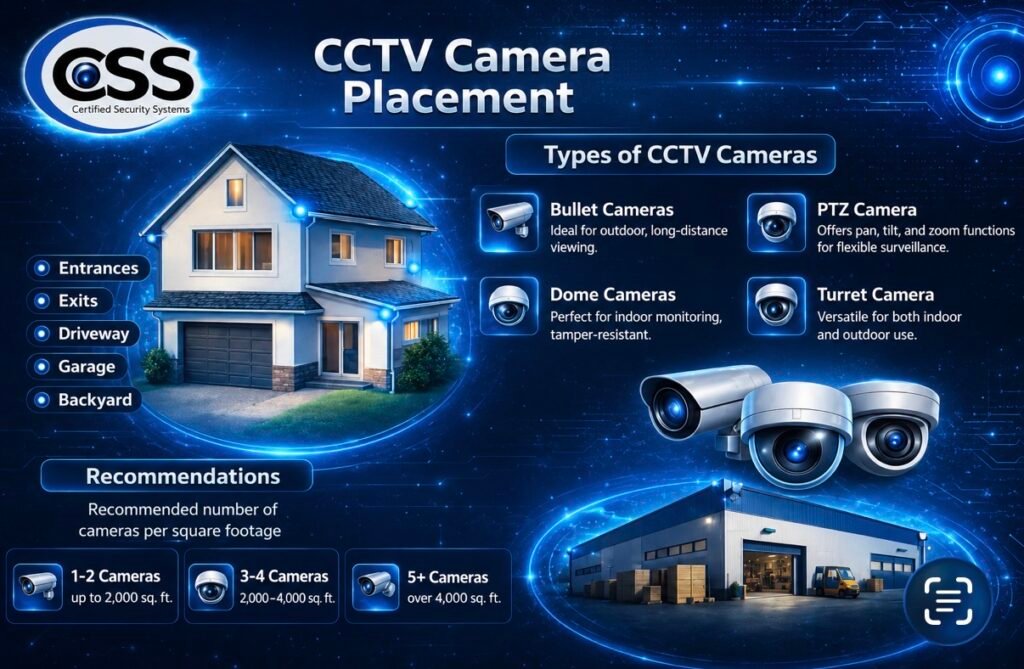
Every property is different, but for a typical single-story home in our service area, coverage usually comes down to five zones: the front door and walkway, the driveway, the back entry, any side gates or access points, and the garage. A safety and security expert writing for Family Handyman puts it simply — figure out your property’s layout and which areas actually need coverage before you buy anything, since there’s no sense paying for more than that.
Wide-angle cameras can sometimes let one well-placed unit do the work of two standard ones, which is worth discussing with whoever is designing your system — we can walk you through the camera and lens options that make sense for your specific layout.
The Oversell Problem (And How to Spot It)
Camera count is one of the easiest places for a quote to get padded — a camera for every window, duplicate coverage of the same low-value corner, or a package tier that adds hardware instead of solving an actual blind spot. This isn’t unique to security cameras. The Federal Trade Commission has long urged homeowners to take their time, ask questions, and get a second opinion before committing to any home security quote — advice that applies just as well to camera count as it does to contract terms.
What a Properly Scoped System Actually Looks Like
A well-designed system is purpose-driven, not fear-driven. Every camera earns its position by covering ground nothing else does. The only place deliberate overlap makes sense is your highest-value zone — for most homes, that’s the front door, where a doorbell camera and a house-mounted camera covering the same approach genuinely is worth the redundancy. Everywhere else, overlap is usually just cost without benefit.
Frequently Asked Questions
Is more cameras always better for home security?
No. Past a certain point, extra cameras usually just duplicate coverage you already have rather than closing a real gap. The goal is full coverage with minimal overlap, not the highest number on the invoice.
Does a video doorbell count as one of my cameras?
Functionally, yes. It’s one of the most-forgotten pieces when homeowners count their existing coverage, and it often handles the single highest-traffic zone on the property: the front door.
Do I need a camera on every window?
Almost never. Windows are rarely a property’s actual weak point compared to doors, gates, and the garage — covering every window is one of the most common ways a quote gets inflated.
How can I tell if I’m being oversold on cameras?
Ask what specific blind spot each additional camera solves. If the answer is vague, or it’s just “more coverage,” that’s a sign the count is being padded rather than planned.
What’s the difference between a wide-angle and a standard lens for coverage?
A wide-angle camera can sometimes cover what would otherwise take two standard cameras, at the cost of some detail and zoom clarity at a distance. The right choice depends on whether you need broad awareness or clear identification detail at a specific point.
Should I go with wired or wireless cameras?
Both can work well — it depends more on your walls, your Wi-Fi, and whether you’re renting or owning than on camera count. We’ve broken this down in detail elsewhere on our blog if you want the full comparison.
Do two-story homes need more cameras than one-story homes?
Usually, yes — a second story adds angles and blind spots a single-level home doesn’t have. But it still comes down to the specific layout, not a fixed rule based on square footage.
If there’s one thing to take away here, it’s this: the right number of cameras is the number that closes every real gap on your specific property, no more and no less. Anyone recommending a number before they’ve actually walked your property is guessing.
Want an honest, walk-the-property assessment of what your home actually needs — no padded quote, no guesswork?
Sources
- SafeWise — How Many Security Cameras Do I Need?
- Family Handyman — How Many Security Cameras Do I Need?
- ConsumerAffairs — How Many Security Cameras Do I Need? A Room-by-Room Guide
- AAA — The Best Places to Install Home Security Cameras
- Federal Trade Commission — Tips to Avoid Being Scammed by Home Security Sales Agents
See It In Action
A look at the actual install — six UniFi cameras and a video doorbell covering this one-story property, instead of the 12 cameras originally quoted.