
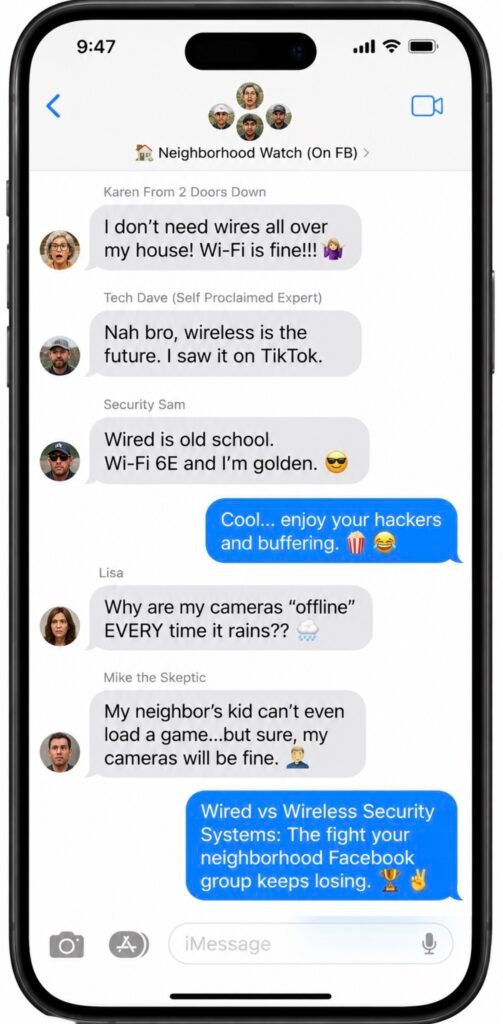
Wired vs. Wireless Security Systems: The Fight Your Neighborhood Facebook Group Keeps Losing
Two completely different technologies, one very confused homeowner. Let’s actually settle it — no brand loyalty required.
Every few months, someone in a local Facebook group posts “wired or wireless?? HELP” and within eleven minutes it’s a full civil war. Someone’s uncle installed a system in 2009 and has Opinions. Someone else just wants to know if their cameras will still work when Florida Power & Light decides to take an unscheduled coffee break mid-hurricane. (Rhetorical question. They will not, unless you’ve planned for it.)
I’ve spent enough time running cable through South Florida attics hot enough to proof bread, and just as much time slapping wireless sensors onto doors in fifteen flat minutes, to tell you the truth nobody’s Facebook uncle will: neither option is objectively “better.” They’re built to solve different problems. So let’s break it down properly — no brand plug, no jingle, just the actual tradeoffs.
First, What Are We Actually Arguing About?
Wired systems connect every sensor, keypad, and camera to a central panel (or a DVR/NVR, for cameras) using physical cable run through your walls. It’s the same basic idea security systems have used since the 1970s, just with better electronics — the original home security systems were always wired, and plenty of homes still run on that backbone today.
Wireless systems skip the cable entirely. Sensors talk to a hub over radio signals — Wi-Fi, Z-Wave, Zigbee, or cellular — and run on batteries instead of a hardwired power feed, which is exactly what makes them fast to install and easy to move with you.
Wired Systems: The Friend Who Shows Up Even When It’s Pouring
What’s great
- Rock-solid signal — no Wi-Fi congestion, no dead zones, no “why is the living room sensor offline again”
- No batteries to remember, ever
- Nothing to intercept, spoof, or jam, since it’s not broadcasting a signal in the first place
- Cameras record straight to a local DVR, so footage keeps rolling even if the internet drops — see the camera and DVR/NVR gear we install
What’s annoying
- Professional installation is basically mandatory unless your home is already pre-wired
- It stays with the house — great for you, mildly upsetting to whoever lives here after you
- Fewer built-in smart-home extras out of the box
Wireless Systems: The Friend Who’s Always Double-Booked (But Still Fun)
What’s great
- Installed same-day, often without a single drilled hole
- Goes with you when you move — genuinely handy if you rent, or Florida-hop between condos every few years
- Plays nicely with smart locks, lights, thermostats, and the rest of the smart-home ecosystem
- Great option when an HOA or landlord isn’t thrilled about exterior wiring
What’s annoying
- Battery-dependent, and batteries always seem to die at 2 a.m., never at a convenient hour
- Relies on a decent Wi-Fi or cellular signal, so thick walls and dead zones matter
- Technically more exposed to signal interference than a cable that’s just sitting inside your drywall
Okay, But Can Someone Actually “Jam” My Wireless System?
This is the part of the internet that loves a good panic spiral, so let’s be precise. Yes — security researchers have demonstrated that cheap devices can jam wireless home systems, flooding the same frequencies your sensors use so the alert never reaches the monitoring center. It’s a real vulnerability, and it’s not exclusive to Wi-Fi — Zigbee, Bluetooth, and even the cellular backup a lot of systems use can be interfered with at close range.
Here’s the part that gets left out of the scary headline: the average burglar isn’t exactly building a 2.4GHz jamming rig in the back seat of a getaway car. Most break-ins are opportunistic, and visible security equipment is a strong deterrent all on its own — one industry expert notes that roughly half of burglars will simply skip a house with cameras mounted out front, and even a window sticker alone can cut your odds of being targeted. The realistic fix isn’t “never go wireless,” it’s building in signal redundancy — a system with a cellular backup path, regardless of whether it’s wired or wireless — so there’s more than one way for an alert to get out. That’s a standard part of how our monitoring plans are built, wired or wireless.
Wired vs. Wireless, Side by Side
| Category | Wired | Wireless |
|---|---|---|
| Signal reliability | Unaffected by Wi-Fi congestion or dead zones | Depends on a strong Wi-Fi/cellular signal |
| Installation | Usually professional; more invasive | DIY-friendly, often done in an afternoon |
| Power outage resilience | Needs backup battery + cellular comms | Needs backup battery + cellular comms |
| Portability | Stays with the house | Moves with you |
| Upfront equipment cost | Generally lower per component | Generally higher per component |
| Ongoing maintenance | Very low — no batteries | Periodic battery swaps |
| Jamming/interference exposure | Minimal — nothing broadcasting | Technically possible, practically rare |
| Smart home integration | Limited unless hybridized | Extensive |
| Best for | New construction, long-term owners, large or thick-walled homes | Renters, frequent movers, retrofits, HOA-restricted exteriors |
The South Florida Wildcard Nobody Puts In These Articles
Every wired-vs-wireless article on the internet was written for a generic house in a generic town. Yours has hurricane season. A few things worth actually thinking about down here:
- Power outages are a when, not an if. Landline copper is basically extinct at this point, so whether you go wired or wireless, make sure the system has a cellular backup path and battery backup — that’s what keeps it calling for help when FPL taps out.
- Concrete block construction complicates wired retrofits. If your home is CBS (extremely common here) and wasn’t pre-wired, running new cable is a bigger job than the national “just drill a hole” articles make it sound.
- Humidity is unkind to everything. Exposed low-voltage wiring on older systems and battery contacts on outdoor wireless sensors both need occasional attention in our climate — neither option is “install and forget forever.”
- HOAs have opinions about exteriors. If you’re in a gated or deed-restricted community, check the rules on visible wiring and exterior equipment before you commit either way — if you’re not sure, ask us and we’ll help you check with your board.
The Insurance Discount Nobody Mentions At The Dinner Table
Most insurers knock 2% to 15% off your homeowners premium for a professionally monitored security system — an average of about $100 a year in savings, according to Policygenius. It doesn’t matter whether it’s wired or wireless — what matters to the insurer is professional monitoring, so ask for a certificate of installation either way — we provide one for every system we monitor, just ask.
So… Which One Should You Actually Get?
- Building new construction or mid-renovation with the walls already open? Wired is nearly free to add now and painful to add later — that’s exactly the window where a wiring consult pays for itself.
- Renting, planning to move, or living somewhere retrofitting cable is a nightmare? Wireless wins on convenience.
- Want maximum reliability and don’t mind the upfront install work? Wired.
- Want to be fully armed by dinner tonight? Wireless.
- Can’t decide? You don’t have to — hybrid systems exist specifically for this, pairing hardwired sensors on critical entry points with wireless flexibility everywhere else.
The honest answer is that “wired vs. wireless” is a smaller decision than the internet makes it sound. What actually matters is whether the system fits your specific house, your specific walls, and your specific hurricane season — not which one won an argument on Facebook.
If you want an honest opinion on which setup actually fits your home — no upsell, no script — that’s genuinely what we do all day.
Sources
- SafeWise — Are Wired or Wireless Home Security Systems Better?
- Angi — Wired vs. Wireless Home Security Systems: Full Guide
- CPI Security — How to Choose Between Wired and Wireless Security Systems
- Cunningham Security — Wireless vs. Hardwired Home Security: Pros and Cons
- TechHive — Wi-Fi Jamming Attacks Are on the Rise. How They Affect Your Smart Home Security
- Policygenius — Are There Home Insurance Discounts for Security Systems?